Adding Direct Gauge Rewards
Direct gauge rewards are tokens you deposit into a Curve gauge, which streams them to staked LPs. They need no DAO vote, but only the gauge manager can register a reward token, which keeps scam tokens out of gauges.
You can add them in the Curve app or directly on a block explorer. Both call the same gauge functions.
Before You Start
- Gauge: the pool already has a gauge. Anyone can deploy one, and the factory allows one gauge per pool.
- Manager: you use the wallet that deployed the gauge, which is its
manager. Only the manager (or the Curve DAO) can register a reward token. The manager can also transfer the role to another address. - Distributor: for each reward token, the manager names one distributor, the only address that can deposit that token. It can be the manager or any other address, and it needs the tokens it will deposit.
- Token: a standard, transferable ERC-20. A gauge holds at most 8 reward tokens, and a token can't be removed once added.
Step 1: Register the Reward Token
Open your pool on curve.finance and connect the manager wallet. Go to the Gauge tab, then Add Reward. The tab only shows for the gauge manager or a reward distributor.
- Pick the reward token under Token.
- Enter the distributor's address under Distributor. It defaults to your connected wallet.
- Click Add Reward and confirm the transaction.
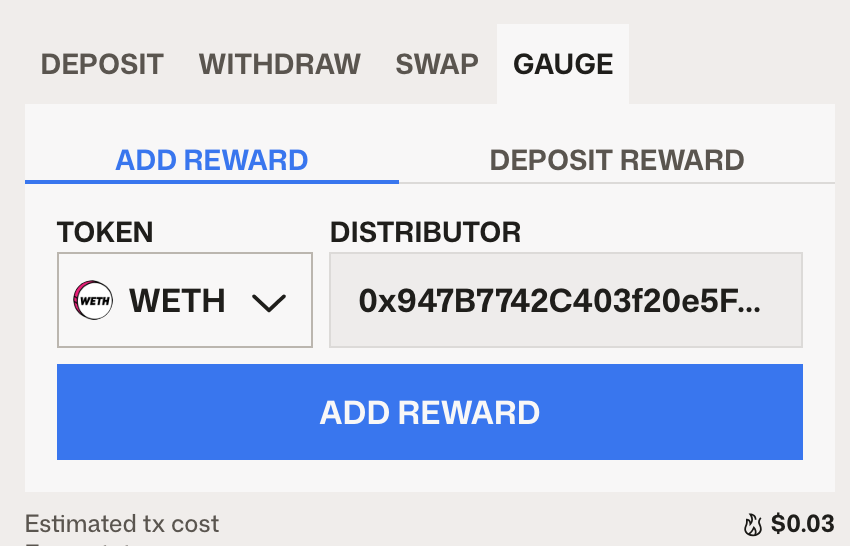
You can register each reward token once.
Step 2: Deposit the Rewards
Connect the distributor wallet and open Gauge, then Deposit Reward.
- Pick the registered token and enter the Amount to deposit.
- Set the Distribution duration (in weeks). It defaults to 1 week.
- Click Approve to let the gauge transfer the token, then Deposit.
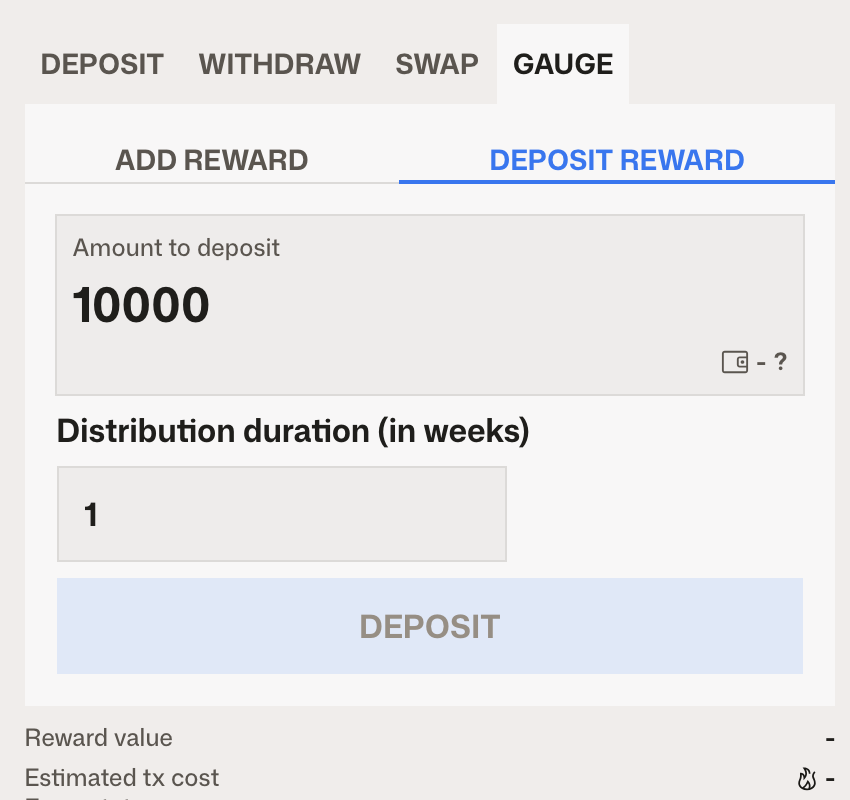
The gauge streams the tokens evenly over the period. If you deposit more during a running period, the remaining balance and the new deposit combine and a new period starts.
Once the deposit lands, the reward token shows in the Curve UI and staked LPs receive it when they claim. LPs don't need to do anything else.
Using Etherscan Instead
On Ethereum, use Etherscan. On other chains, use that chain's block explorer; the functions are the same. Open the gauge contract, go to Write Contract and connect the right wallet for each call.
-
Register the token (manager wallet). Call
add_rewardwith_reward_token(the token address) and_distributor(the address that will fund the gauge).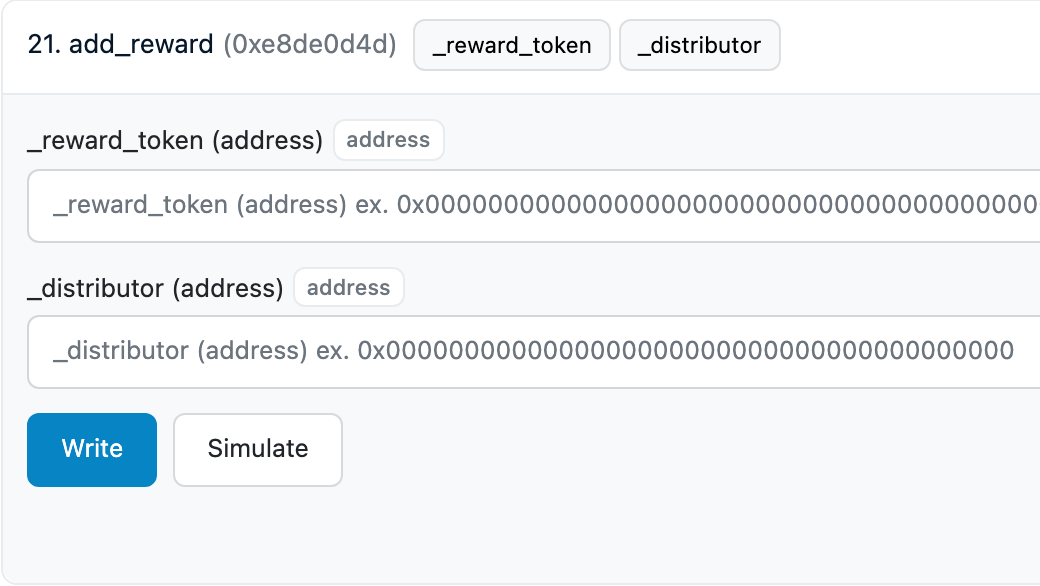
-
Approve the token (distributor wallet). On the reward token's contract, call
approvewith_spender(the gauge address) and_value(the amount the gauge may transfer). -
Deposit (distributor wallet). On the gauge, call
deposit_reward_tokenwith_reward_token,_amountand, optionally,_epoch.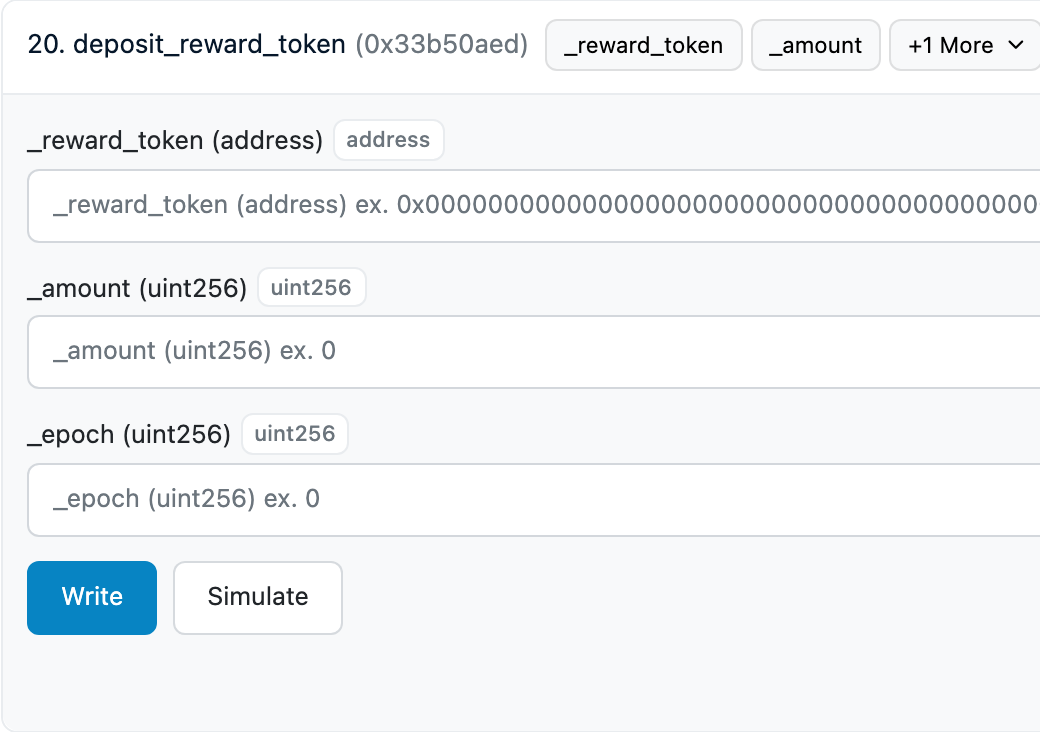
_epoch is in seconds, while the app asks for weeks: 3 days (259200 seconds) to 48 weeks (29030400 seconds), 1 week (604800 seconds) by default.
Claiming and Viewing Rewards
LPs claim rewards in the Curve UI. See Claiming Rewards.